Test and investigate detections
Use harmless, documented function tests to learn how Aurora turns Windows activity into Sigma and IOC matches. Start with one process-creation test before exploring other event sources.
Beginner investigation loop
- Confirm Aurora is healthy and note the current time.
- Run one controlled test, such as
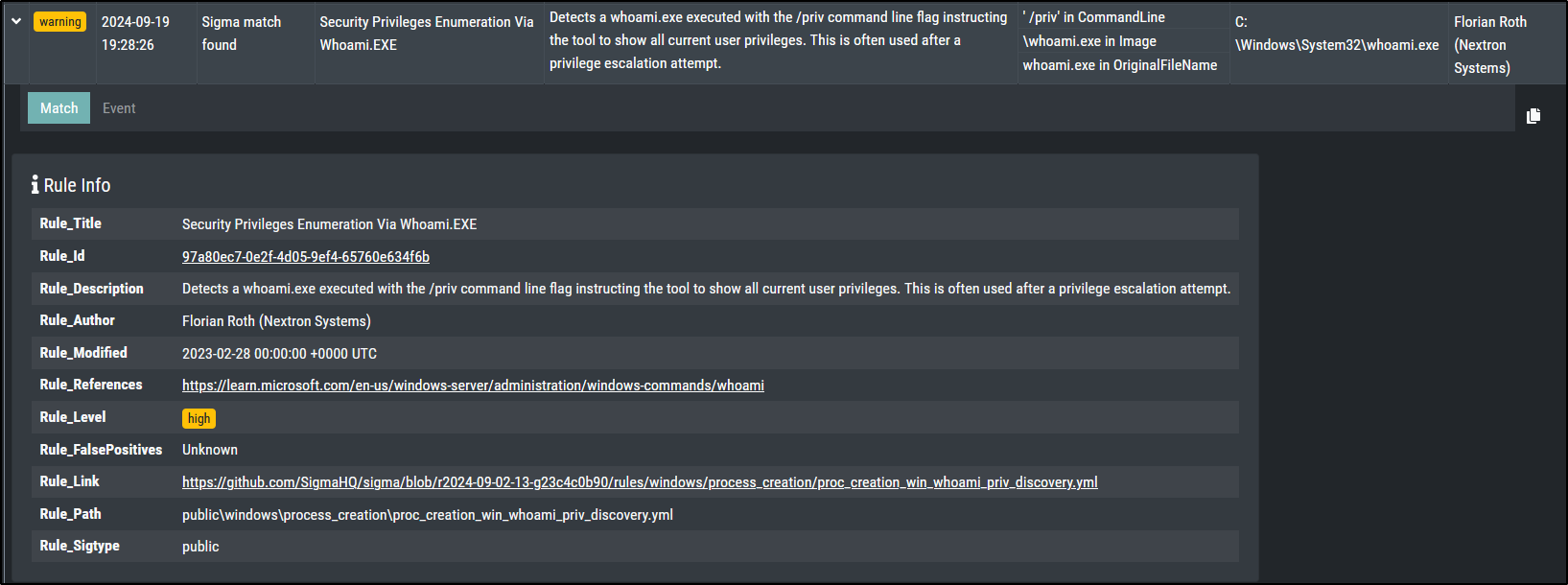
whoami /priv. - Refresh the dashboard and locate the matching timestamp.
- Expand the record and capture the rule title, level, host, user, image, command line, parent process, and match condition.
- Compare the record with one routine event.
- Record the result as an authorised validation test rather than confirmed compromise.
Continue through the original tests
The complete walkthrough retains every original example and screenshot:
- Network communication — inspect the generated event and matched network condition.
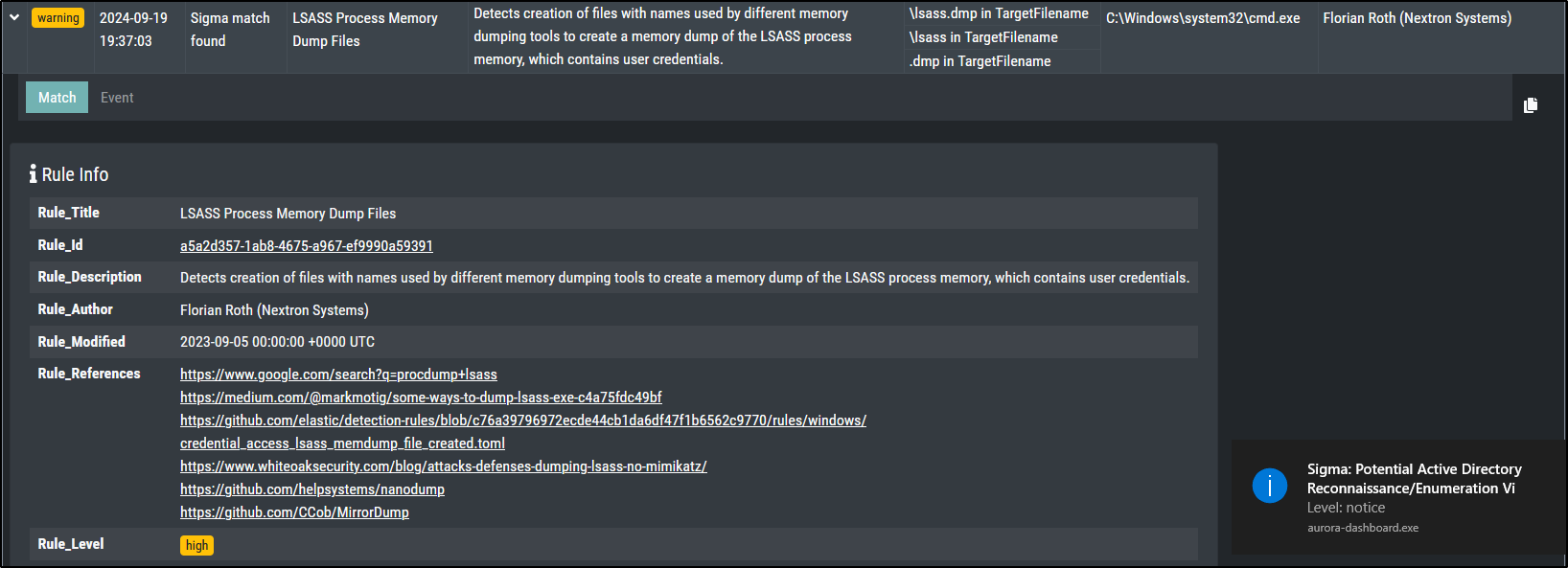
- File creation — connect the created path to the matching rule.
- Process access — verify whether the selected preset supplies the required telemetry.
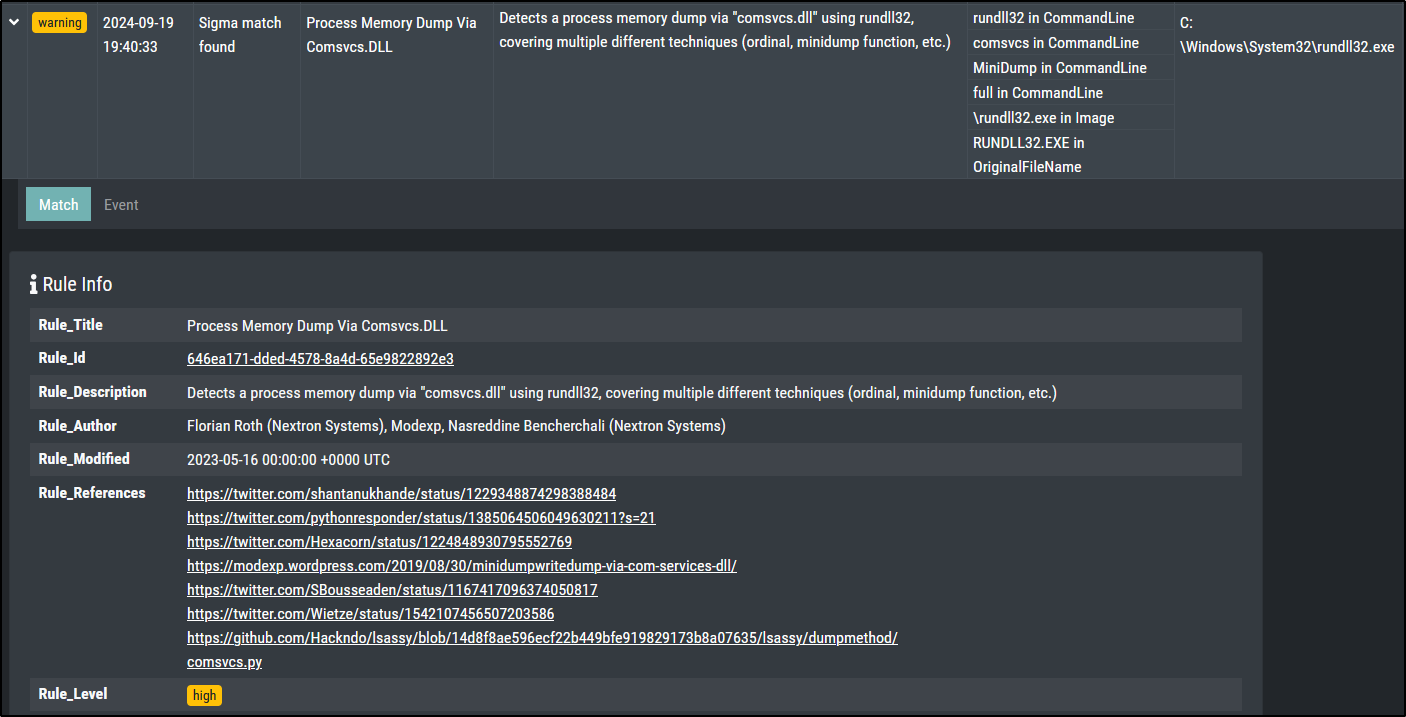
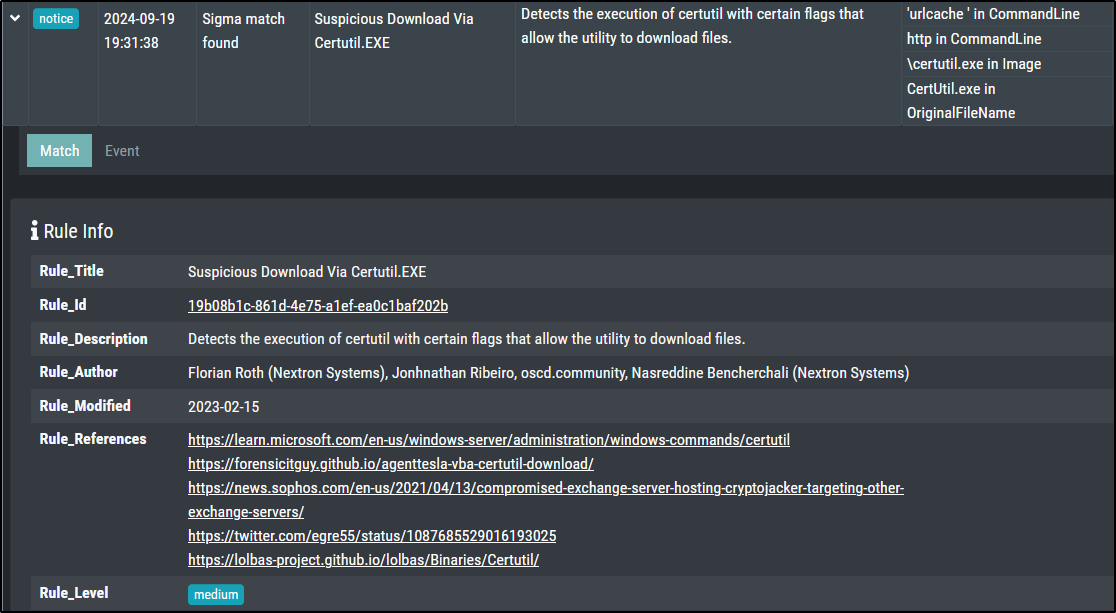
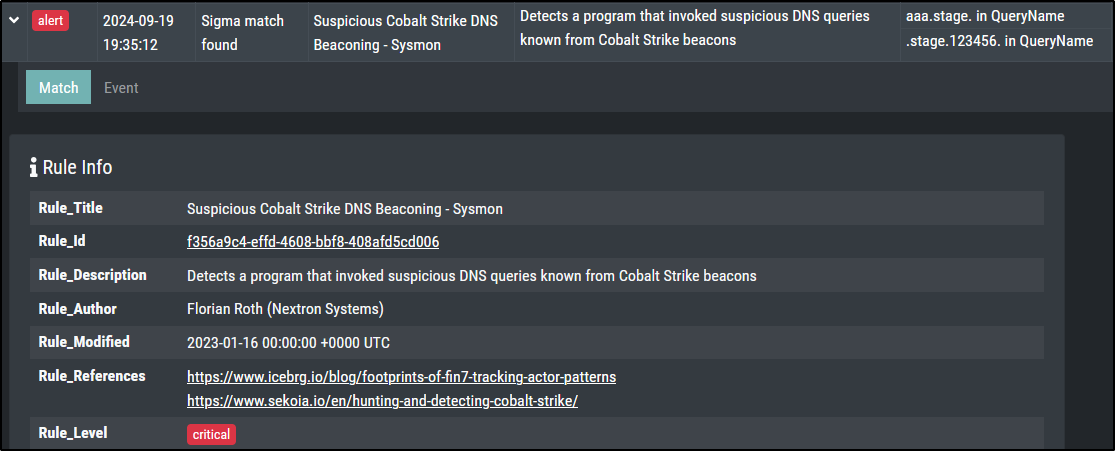
- IOC filename, C2, named pipe, and LOLBAS tests — compare indicator matches with Sigma behavior.
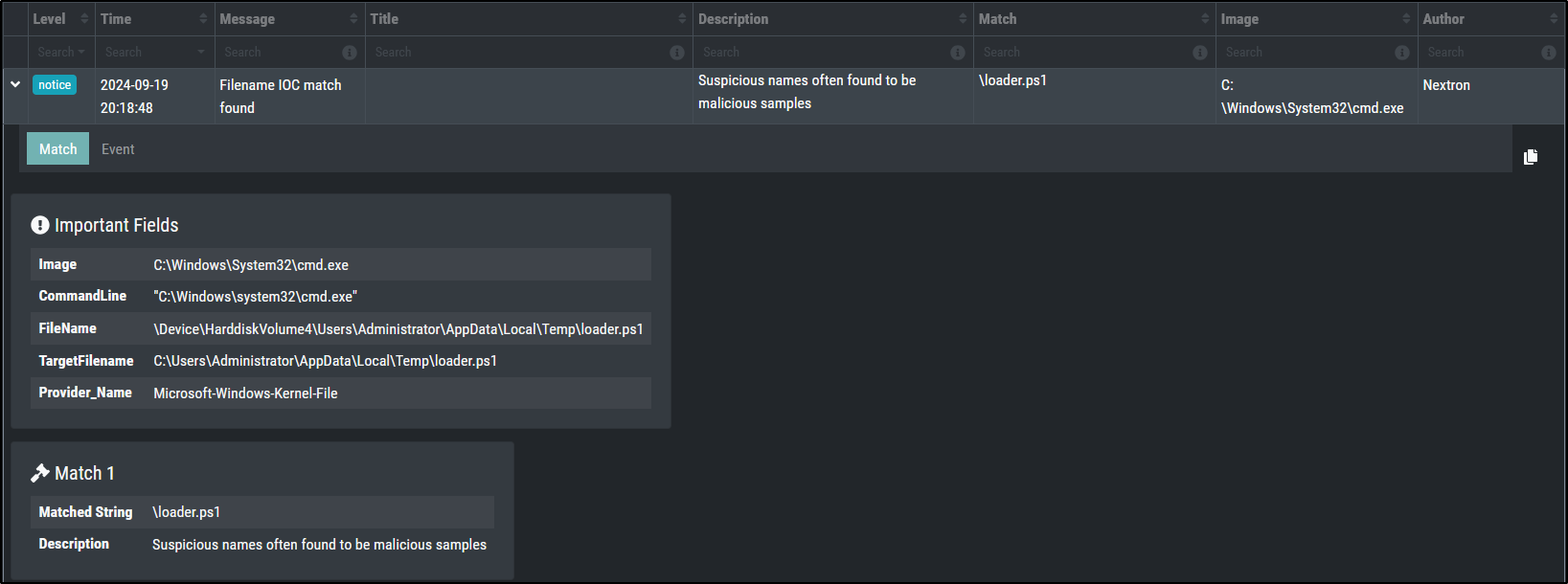
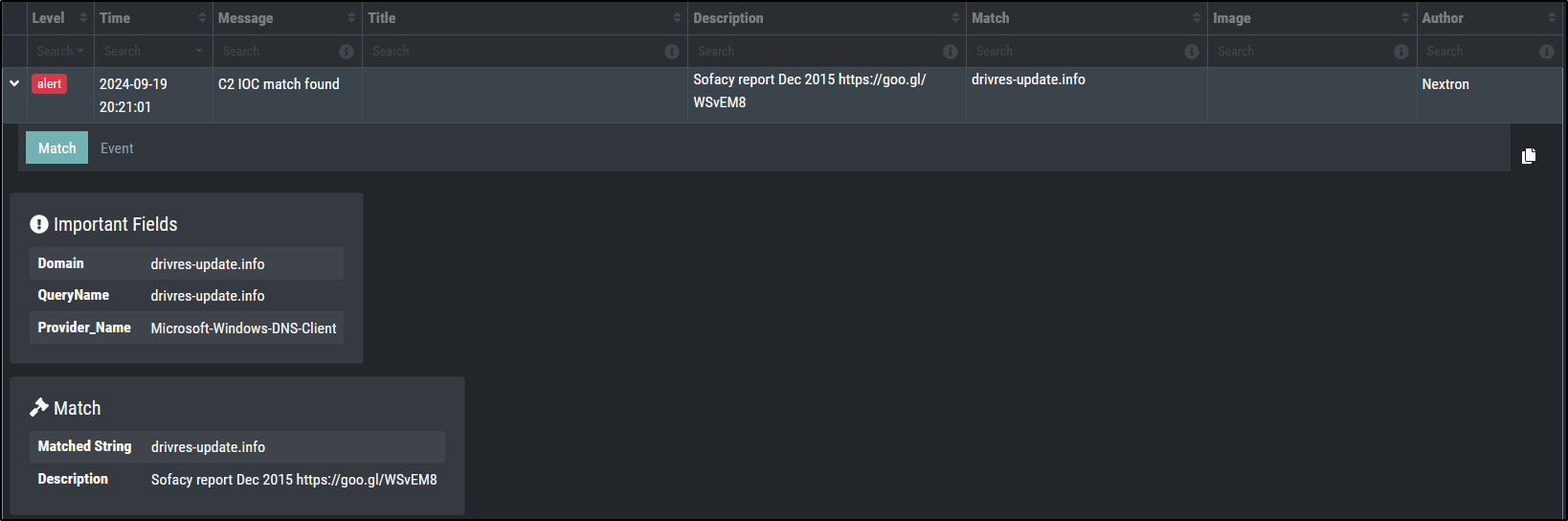
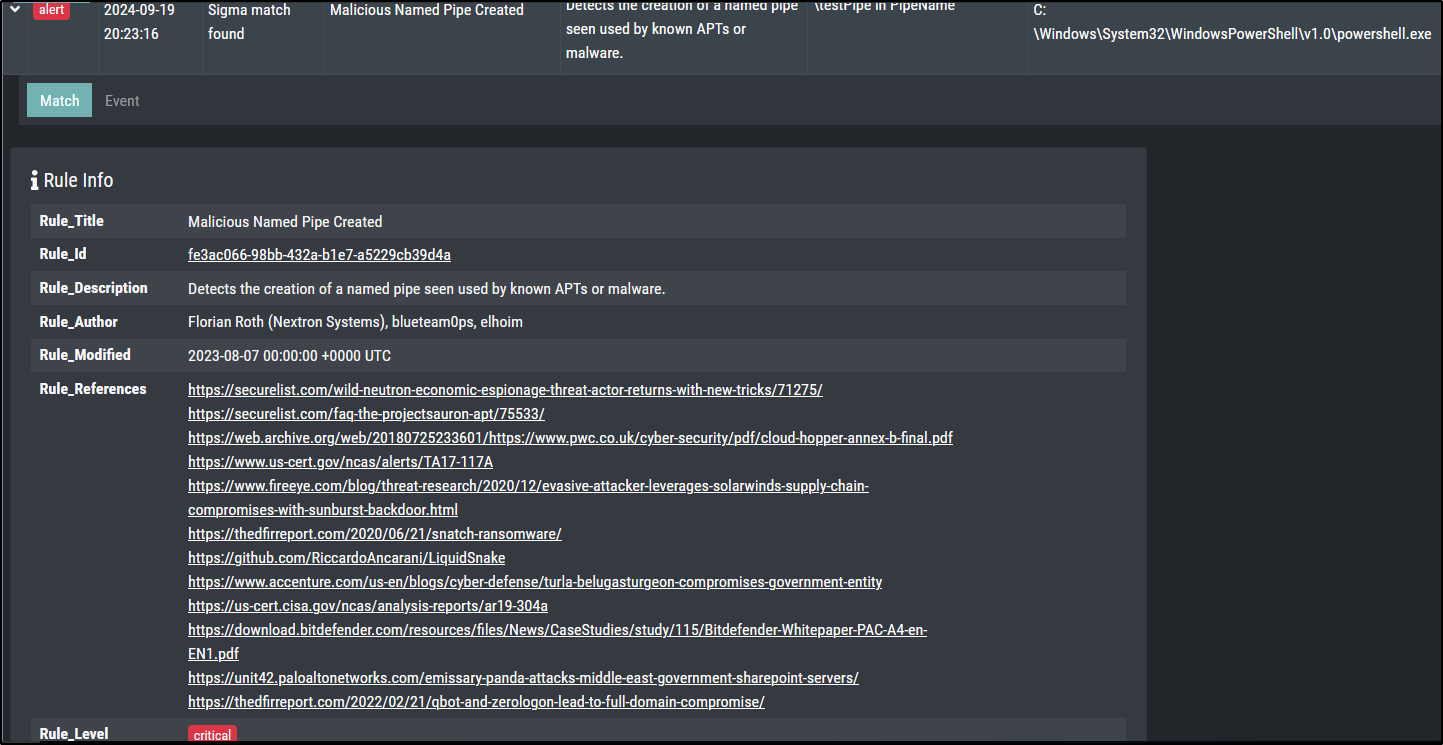
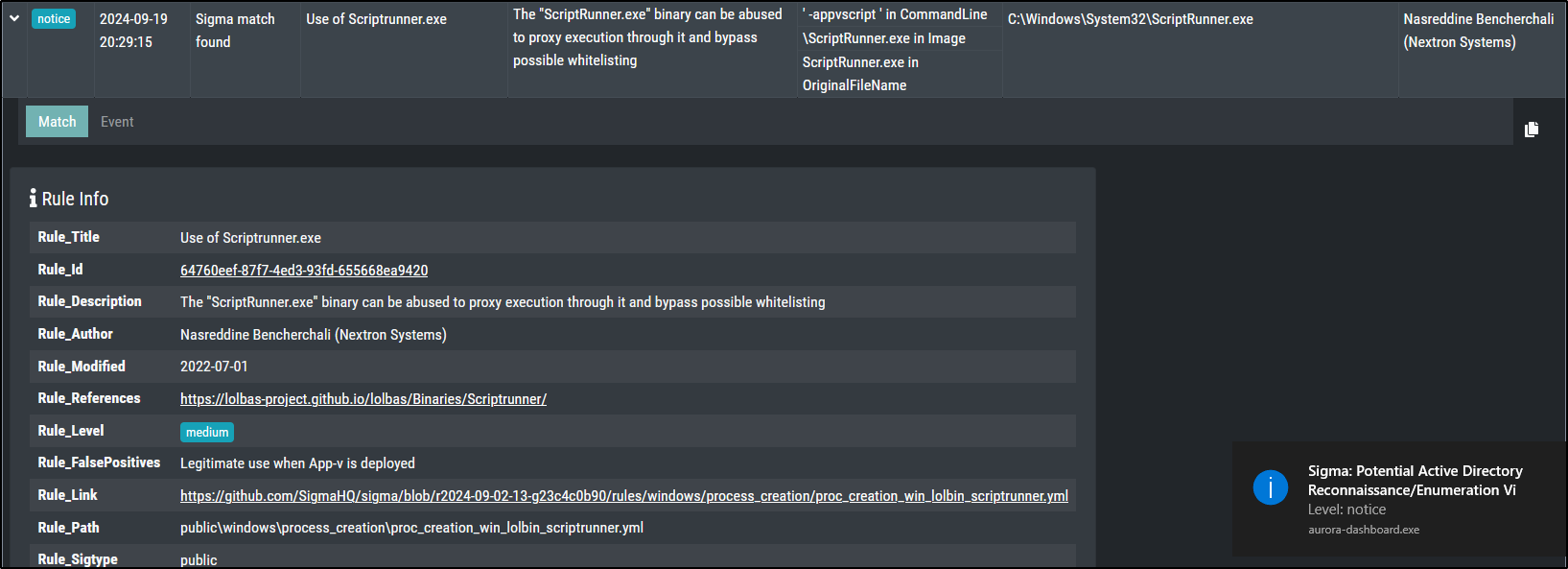
Open every original function-test command and cleanup step.
Investigation note
| Point | Example |
|---|---|
| Who and where | LAB\student on WIN-LAB01 |
| What happened | whoami.exe ran with /priv and matched a high-level Sigma rule |
| What you verified | Aurora was healthy and the command was intentionally generated |
| What remains unknown | The test does not prove how the same command would arise in a real incident |
Checkpoint
Another learner can connect your command to the Aurora record and understand why the detection is valid but the activity is not a confirmed compromise.