Install DFIR-IRIS
Prepare and install the demonstrated air-gapped DFIR-IRIS environment. Preserve package sources and versions, and stop if a container or prerequisite does not pass its health check.
Version-sensitive walkthrough
The steps preserve the demonstrated build. Confirm current vendor prerequisites, image compatibility, and recovery commands before adapting it to another environment.
Install DFIR-IRIS in an air-gapped environment
These instructions reproduce the demonstrated Ubuntu 22.04.4 LTS lab using DFIR-IRIS v2.4.20. Newer releases are available, but changing the application or image version should be treated as a separate compatibility test. The default configuration is suitable for an isolated lab, not production.
Prepare the connected workstation
Create one transfer folder on an internet-connected Ubuntu system:
The original guide also offered Docker's convenience script for preparing the connected host:
That method can prepare the connected workstation, but it does not assemble the .deb files required by the isolated VM. Use the explicit package-download method below for the transferable bundle.
Download the Docker packages used by the demonstrated build:
cd ~/iris-offline/docker
wget https://download.docker.com/linux/ubuntu/dists/jammy/pool/stable/amd64/containerd.io_1.7.25-1_amd64.deb
wget https://download.docker.com/linux/ubuntu/dists/jammy/pool/stable/amd64/docker-ce_28.0.0-1~ubuntu.22.04~jammy_amd64.deb
wget https://download.docker.com/linux/ubuntu/dists/jammy/pool/stable/amd64/docker-ce-cli_28.0.0-1~ubuntu.22.04~jammy_amd64.deb
wget https://download.docker.com/linux/ubuntu/dists/jammy/pool/stable/amd64/docker-buildx-plugin_0.21.0-1~ubuntu.22.04~jammy_amd64.deb
wget https://download.docker.com/linux/ubuntu/dists/jammy/pool/stable/amd64/docker-compose-plugin_2.33.0-1~ubuntu.22.04~jammy_amd64.deb
Install Docker on the connected workstation so it can pull and export the DFIR-IRIS images:
sudo dpkg -i ./*.deb
sudo systemctl enable --now docker
sudo usermod -aG docker "$USER"
newgrp docker
docker version
Checkpoint Docker reports both a client and server version, and the five package files remain in ~/iris-offline/docker.
Download DFIR-IRIS and preserve its images
Clone the official repository, check out the demonstrated release, and create the environment file:
cd ~/iris-offline
sudo apt update
sudo apt install git
git clone https://github.com/dfir-iris/iris-web.git
cd iris-web
git checkout v2.4.20
cp .env.model .env
If Git is unavailable in the air-gapped environment, it is not required there: transfer the checked-out iris-web directory and confirm that .env matches .env.model before changing any lab settings.
Review .env before the first start. If you set IRIS_ADM_PASSWORD, use a unique lab password and do not place it in screenshots, command output, or evidence submissions. See the official configuration documentation for the release being reproduced.
Pull the images referenced by the checked-out Compose file and record exactly what was resolved:
docker compose pull
docker compose images
docker image inspect $(docker compose config --images | sort -u) --format '{{index .RepoDigests 0}}' | sort
The original walkthrough verified the pull with docker images. Expect entries for the DFIR-IRIS application, Nginx, database, and RabbitMQ images; tags, IDs, dates, and sizes can differ when the upstream images change.
Export the resolved images into one archive. This avoids relying on mutable latest tags during import:
cd ~/iris-offline/iris-web
docker save -o ../docker-images/dfir-iris-images.tar $(docker compose config --images | sort -u)
Original per-image archive method
The published proof of concept saved the four images separately. This remains a valid presentation of the original workflow when those exact image names and tags are present:
cd ~/iris-offline/docker-images
docker save -o iris_db.tar ghcr.io/dfir-iris/iriswebapp_db:latest
docker save -o iris_app.tar ghcr.io/dfir-iris/iriswebapp_app:latest
docker save -o iris_nginx.tar ghcr.io/dfir-iris/iriswebapp_nginx:latest
docker save -o rabbitmq.tar rabbitmq:3-management-alpine
The combined archive above is the recommended default because it is generated from the checked-out Compose configuration.
Checkpoint The repository is at v2.4.20, .env exists, image digests are recorded, and dfir-iris-images.tar is present.
Package and verify the transfer
Create the transfer archive from the parent directory, then generate its checksum:
cd ~
tar -czf iris-offline.tar.gz iris-offline
sha256sum iris-offline.tar.gz | tee iris-offline.tar.gz.sha256
Transfer both files to the isolated Ubuntu VM using your approved removable-media process.
Install Docker in the isolated VM
Verify and extract the archive before installing anything:
cd ~
sha256sum --check iris-offline.tar.gz.sha256
tar -xzf iris-offline.tar.gz
cd ~/iris-offline/docker
sudo dpkg -i ./*.deb
sudo systemctl enable --now docker
sudo usermod -aG docker "$USER"
newgrp docker
docker version
If dpkg reports a missing dependency, stop and add the matching Ubuntu package to the connected preparation bundle. Do not connect the isolated VM to the internet as an ad-hoc workaround.
Checkpoint The archive checksum passes and Docker is running on the intended isolated VM.
Load and start DFIR-IRIS
Load the transferred images, return to the directory containing compose.yml, and start the services in the background:
docker load -i ~/iris-offline/docker-images/dfir-iris-images.tar
cd ~/iris-offline/iris-web
docker compose up -d
docker compose ps
If you used the original per-image method, load each archive before starting the services:
cd ~/iris-offline/docker-images
docker load -i iris_db.tar
docker load -i iris_app.tar
docker load -i iris_nginx.tar
docker load -i rabbitmq.tar
cd ~/iris-offline/iris-web
docker compose up -d
Every required service should report Up or healthy. If not, inspect the affected service without recreating the environment blindly:
docker compose logs --tail=100 app
docker compose logs --tail=100 db
docker compose logs --tail=100 nginx
Checkpoint The Compose command runs from ~/iris-offline/iris-web and all required services remain running.
Sign in and secure the lab account
Open https://<DFIR-IRIS-IP> from the analyst workstation. A self-signed certificate warning is expected in this isolated proof of concept; verify the destination address before accepting it.
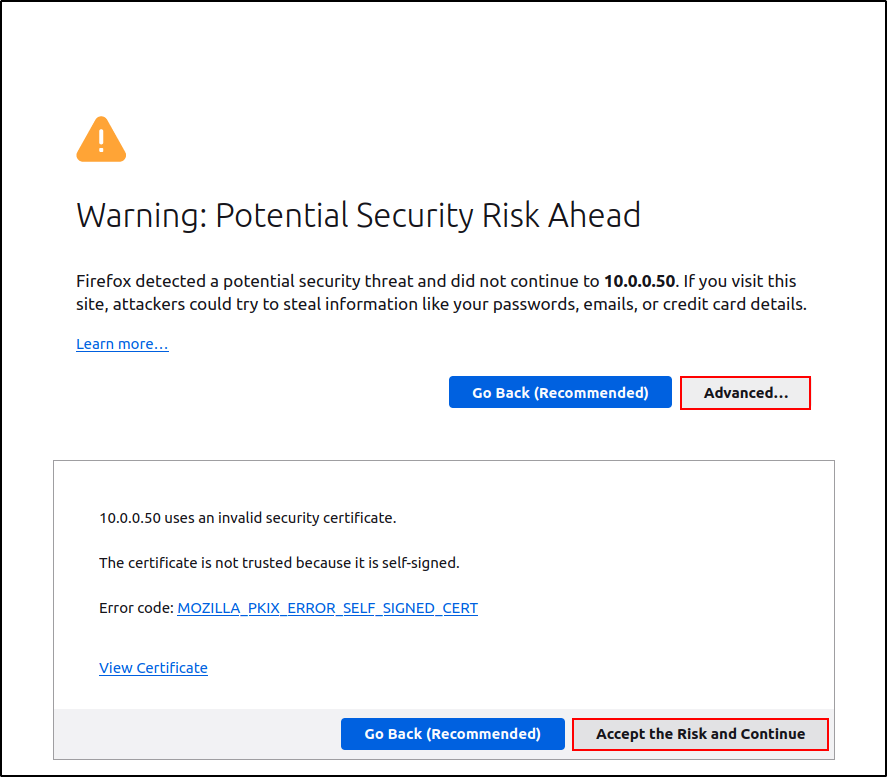
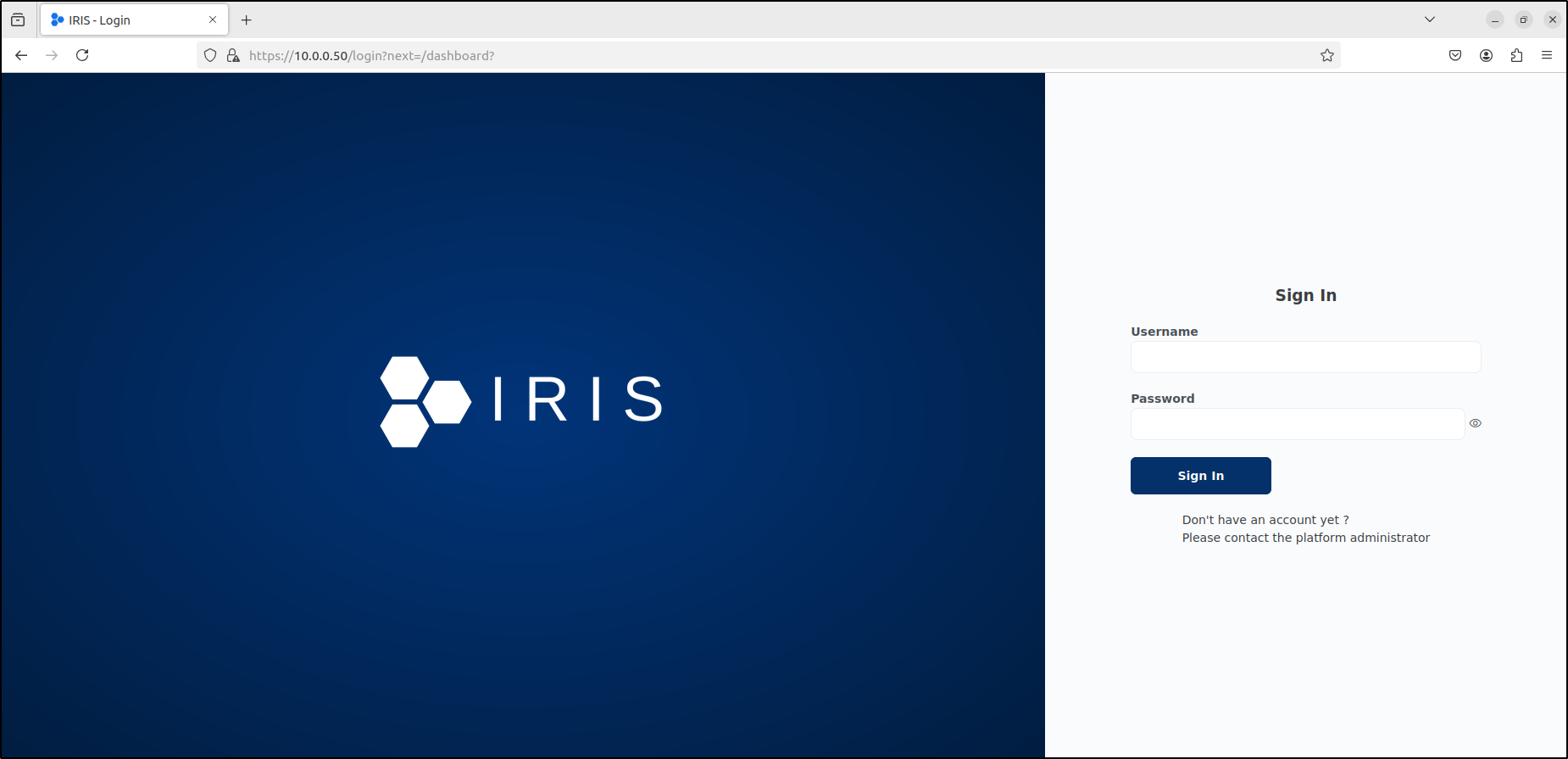
On first start, DFIR-IRIS creates the lowercase administrator account. If IRIS_ADM_PASSWORD was not set before first start, retrieve the one-time generated value from the application logs and store it securely:
cd ~/iris-offline/iris-web
docker compose logs app | grep "WARNING :: post_init :: create_safe_admin"
Example output is deliberately redacted:
iriswebapp_app | WARNING :: post_init :: create_safe_admin :: >>> Administrator password: <REDACTED>
If the logs state that administrator already exists, the instance has been started before and the first-start password will not be generated again. Use the documented recovery process or restore the clean snapshot rather than repeatedly rebuilding containers.
Checkpoint The named administrator can sign in, the generated credential is no longer exposed in notes, and a clean recovery snapshot has been recorded.