Import and Query Data in Zui
Import the sample PCAP, orient yourself in the query workspace, and learn how Zui distinguishes Zeek records from Suricata alerts.
Use an isolated analysis VM
The original walkthrough uses a malware-traffic capture. Verify its source and checksum before import, keep it inside an isolated VM, and do not open or execute content recovered from it.
Activity 1: Import the evidence
The proof of concept uses the 3 June 2021 sample from
Malware-Traffic-Analysis.net.
The archive password follows the source site's documented pattern:
infectedYYYYMMDD.
- Record the archive URL, retrieval date, filename, size, and SHA-256 checksum.
- Extract it only inside the isolated analysis VM.
- In Zui, select Import Data and choose the PCAP. You can also drag the PCAP into Zui.
- Wait for processing to finish before opening a query session.
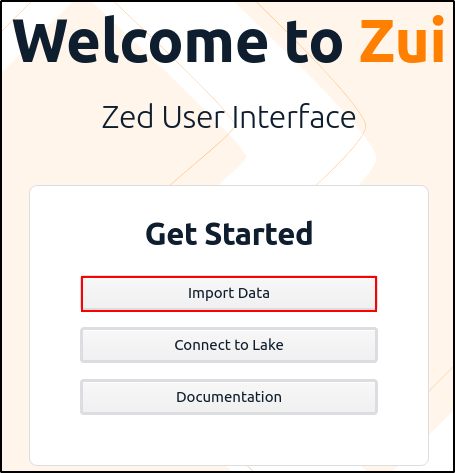
- Select the Query Pool icon for the imported dataset.

Checkpoint
The imported pool opens in a query session, the source PCAP appears after
from, and the results area reports records rather than an import error.
Activity 2: Read the workspace
The query editor is at the top. Running the initial from query displays a
timeline and a result stream below it. Zui groups records with the same
structure into shapes.
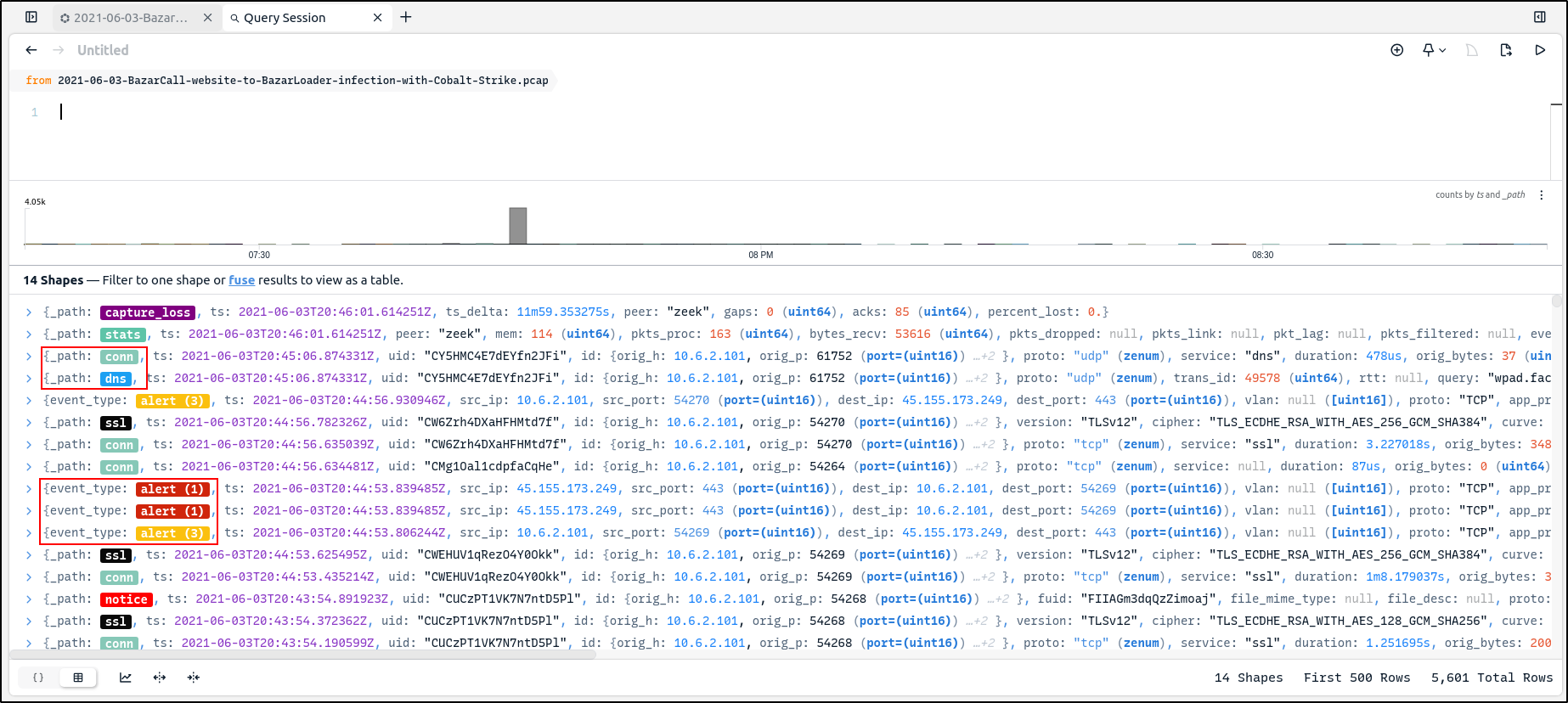
Use these cues when reading the results:
| Cue | Meaning in this walkthrough |
|---|---|
_path: conn |
A Zeek connection record |
_path: dns |
A Zeek DNS record |
_path: ssl |
A Zeek TLS/SSL record |
event_type: alert |
A Suricata alert event |
ts |
The record timestamp |
uid |
A Zeek identifier used to relate records for one connection |
The colored labels identify record categories; color alone does not indicate severity. Read the label and fields before deciding whether a record matters.
Beginner exercise
Find one conn record, one dns record, and one Suricata alert. For each,
record its timestamp and the field that identifies its type.
Checkpoint
You can distinguish Zeek _path records from Suricata event_type records
and explain that a shape describes structure, not whether an event is safe
or malicious.