Configure Aurora responses
Aurora can associate response actions with Sigma matches. Treat every response as a controlled change: understand its target, simulate it first, verify a positive and negative case, and maintain a rollback path.
Choose the least disruptive useful action
The original guide documents process suspension, process termination, process dumping, reporting, logging, command execution, and combined response sets. Before activating one, answer:
- Which exact rule can trigger it?
- Which process or artifact will it affect?
- Can the action interrupt legitimate work?
- What evidence must be preserved first?
- How will you reverse or recover from it?
Review every original response type, flag, inline example, and response set.
Reversible Notepad validation
The original Notepad exercise is the preferred first response test because its impact is easy to observe and recover from.
- Snapshot the VM and confirm the Aurora baseline.
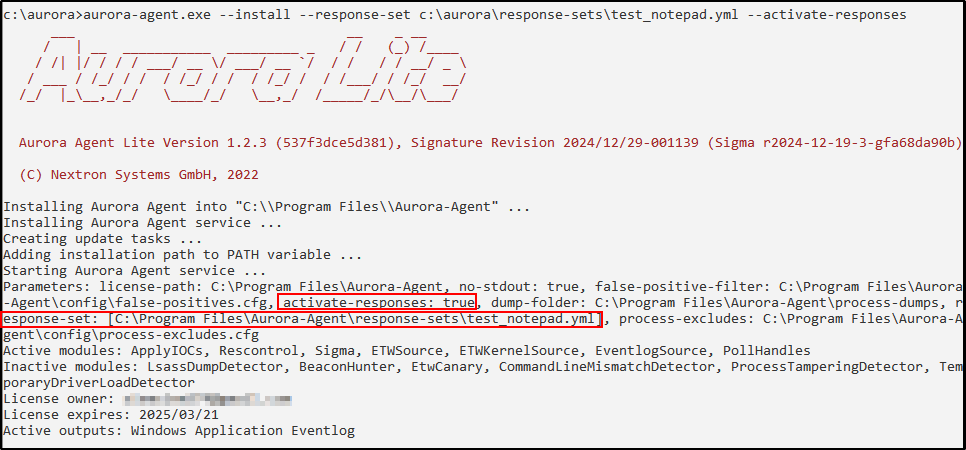
- Add the supplied response set and Sigma rule from the complete guide.
- Start Notepad as the positive test.
- Confirm that the intended match and suspension response occur.
- Run a benign control that should not match.
- Preserve the Aurora event and restore the process or VM.

Evidence checklist
- Exact rule and response-set configuration
- Aurora service and rule-load status
- Positive-test event and response result
- Benign control and its non-response result
- Recovery or rollback confirmation
- Known limitations and possible false positives
Checkpoint
The intended test triggers the bounded response, the benign control does not, evidence remains available, and the endpoint returns to its known-good state.