Build Workflow Zero
Use the original introductory workflow to learn how a trigger passes data to applications and how results are verified.
Workflow Zero · prove alert delivery
- Goal
- Prove Wazuh can deliver a JSON alert to Shuffle.
- Input
- A controlled Wazuh alert at or above the configured level.
- Output
- The received alert repeated in a Shuffle execution.
- Checkpoint
- Execution finishes and the event fields are visible.
Create the introductory workflow
After installation, go to http://(IP address):3001
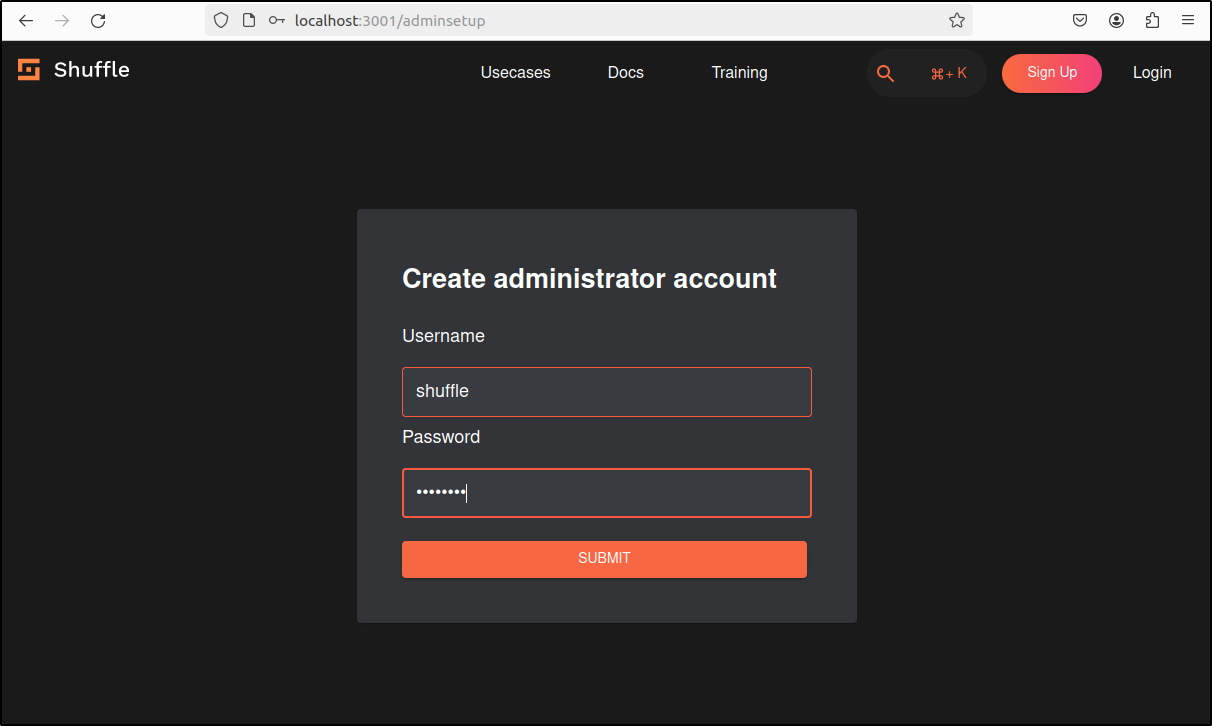
Create administrator account.
Sign in with the same Username and Password.
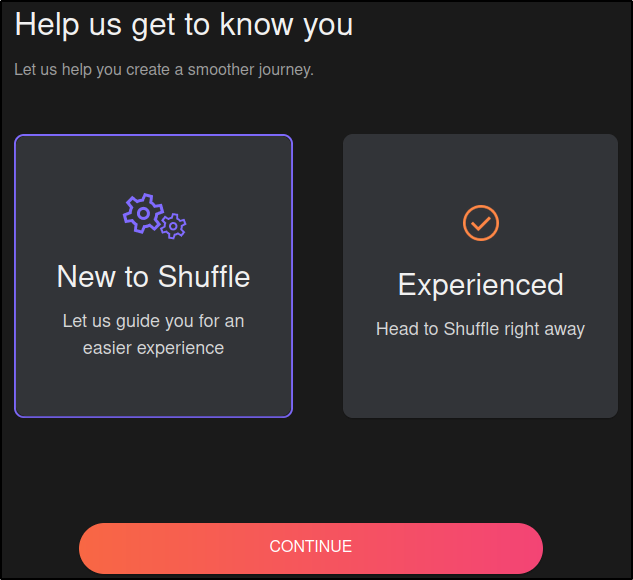
Select New to Shuffle
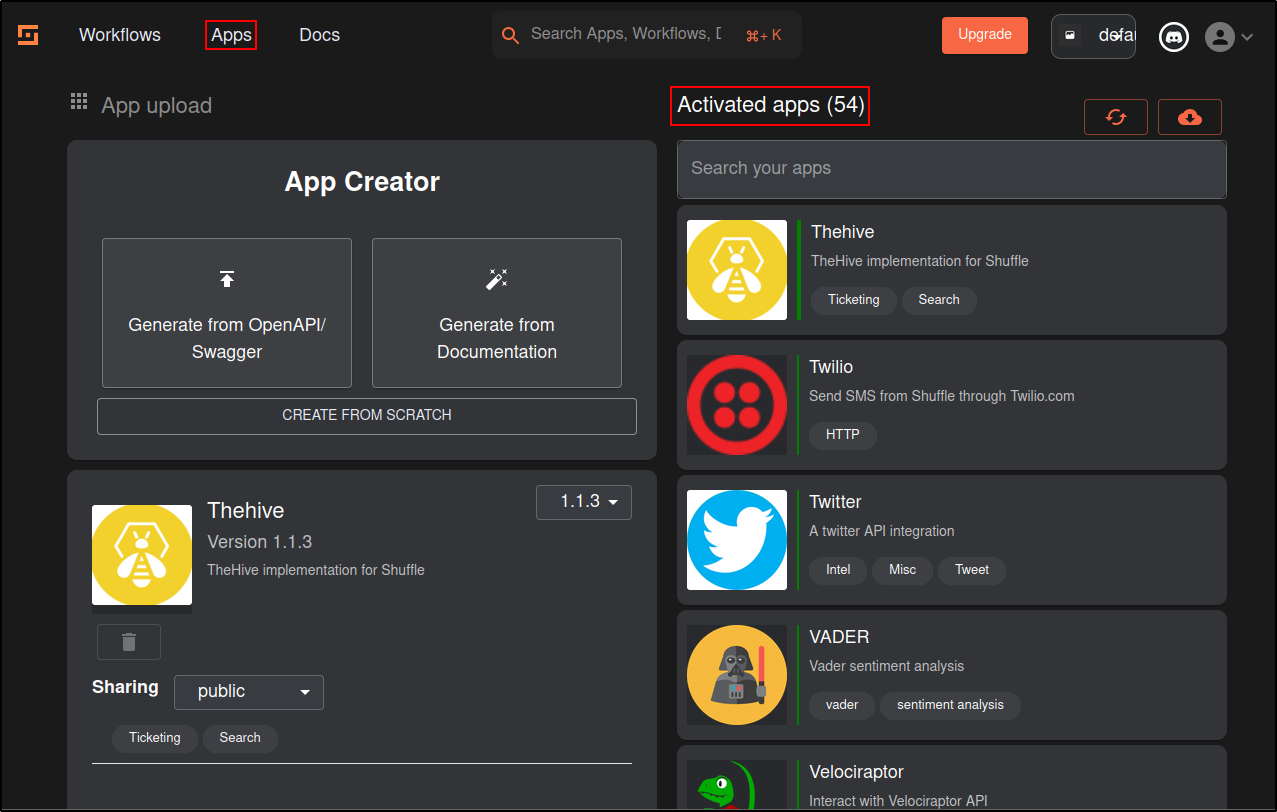
Click Apps
Verify there are activated apps
If there are issues with loading the apps, click refresh or download from GitHub (internet required)
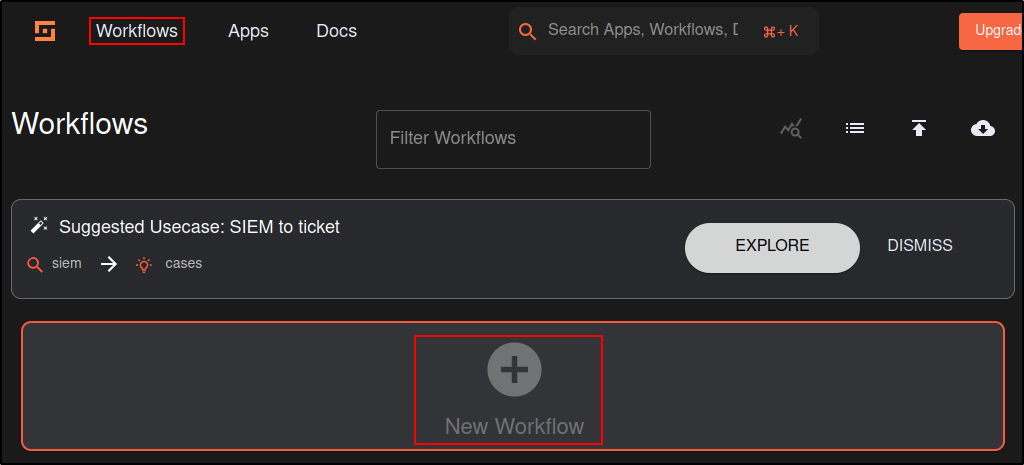
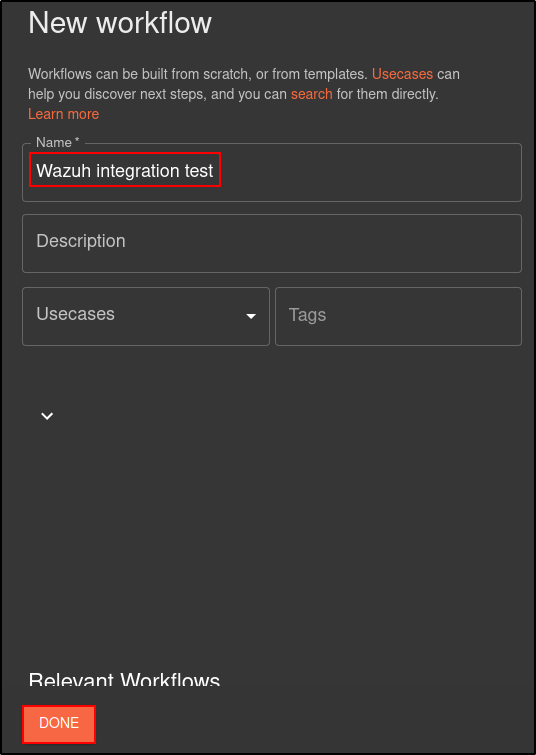
Create a new workflow on Shuffle titled “Wazuh integration test.”
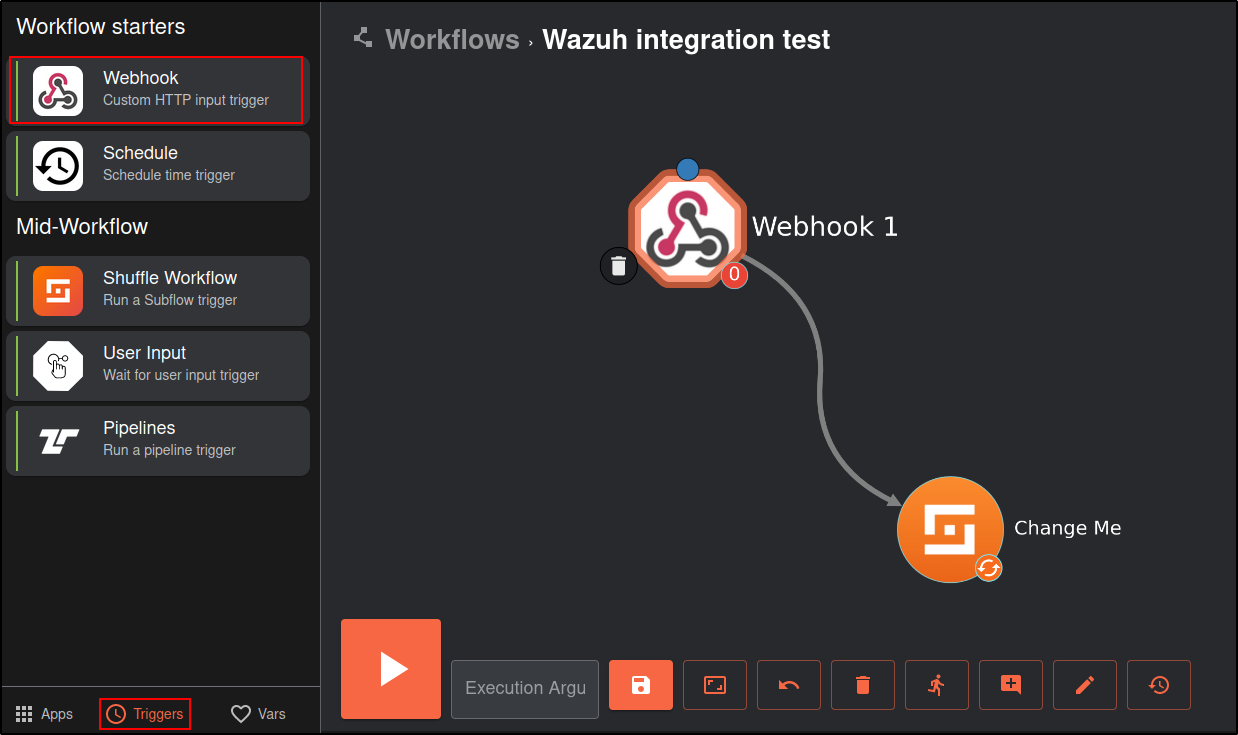
Click on the Triggers tab in the bottom left and drag the Webhook to the workspace.
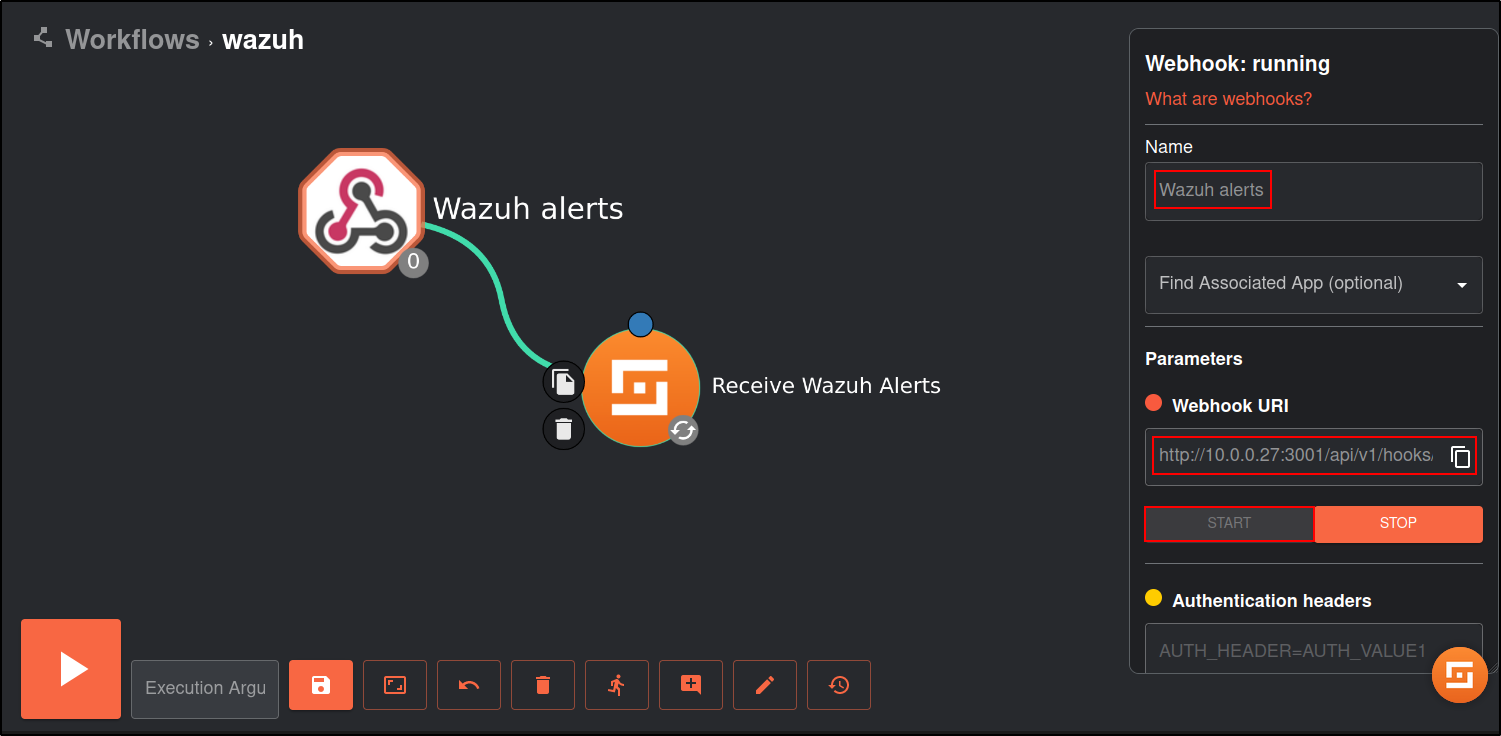
Click on the webhook and rename it to Wazuh alerts. Copy and save the webhook URI and start the webhook. The webhook URI looks like the following: http://10.0.0.28:3001/api/v1/hooks/<WEBHOOK_ID>
Wazuh server
Download the custom integration script custom-shuffle and custom-shuffle.py from the Shuffle GitHub page. Save it as custom-shuffle and custom-shuffle.py in /var/ossec/integrations directory of Wazuh manager.
[root@Centos integrations]# ls
**custom-shuffle  custom-shuffle.py**  maltiverse  maltiverse.py  pagerduty  pagerduty.py  shuffle  shuffle.py  slack  slack.py  virustotal  virustotal.py
The script must contain execution permissions and belong to the root user of the wazuh group. The commands below assign permissions and ownership to the /var/ossec/integrations/custom-script script.
chmod 750 /var/ossec/integrations/custom-shuffle*
chown root:wazuh /var/ossec/integrations/custom-shuffle*
Copy the content from ossec.conf from the Shuffle GitHub page.
<integration>
  <name>custom-shuffle</name>
  <level>9</level>
  <hook_url>http://<IP>:<PORT>/api/v1/hooks/webhook_hookid</hook_url>
  <alert_format>json</alert_format>
</integration>
Paste it into /var/ossec/etc/ossec.conf and edit it
 <integration>
      <name>custom-shuffle</name>
      <level>3</level>
      <hook_url>http://10.0.0.28:3001/api/v1/hooks/WEBHOOK_ID</hook_url>
      <alert_format>json</alert_format>
  </integration>
Where:
<name>: This is the name of the integration and must match with your custom-shuffle downloaded from GitHub.<hook_url>: This is the webhook URI copied from the Shuffle webhook. Use HTTPS with a trusted certificate when possible. Treat HTTP or a temporary certificate-verification exception as an isolated-lab limitation and record it in the evidence.<level>: This is used to forward a specific alert level.<alert_format>: This forwards alerts to Shuffle in JSON format.
Restart the Wazuh manager service to apply changes:
Verify that there are no errors in the ossec and integrations logs
Shuffle
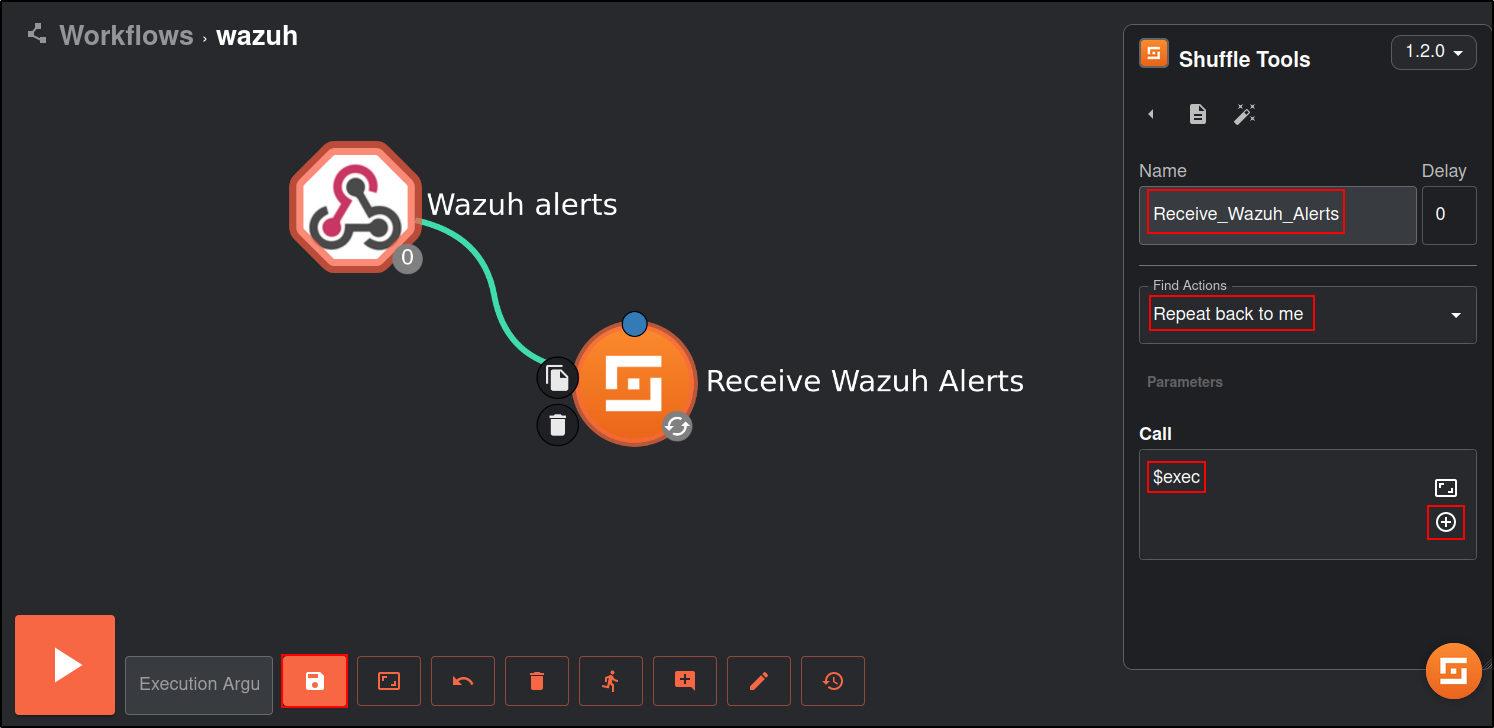
Click on the Shuffle Tools app named “Change me” and rename it to Receive_Wazuh_alerts. Set the call option to “$exec”, and save the workflow. This Shuffle app now repeats the events that are received by the Wazuh alerts webhook. This allows us to test that Shuffle can receive Wazuh alerts.
Click on the show executions button.
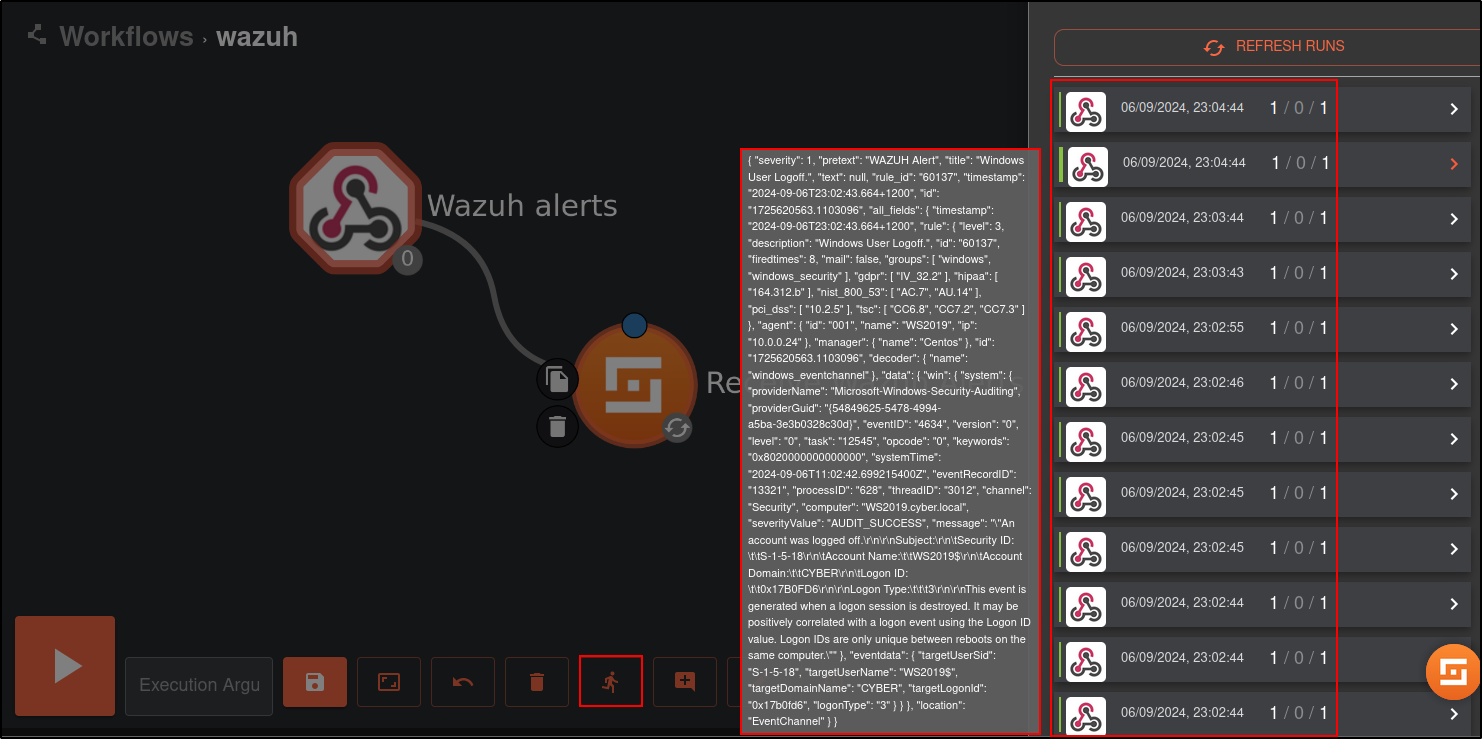
Select any execution and expand it for details. You should see a Wazuh alert in the output.
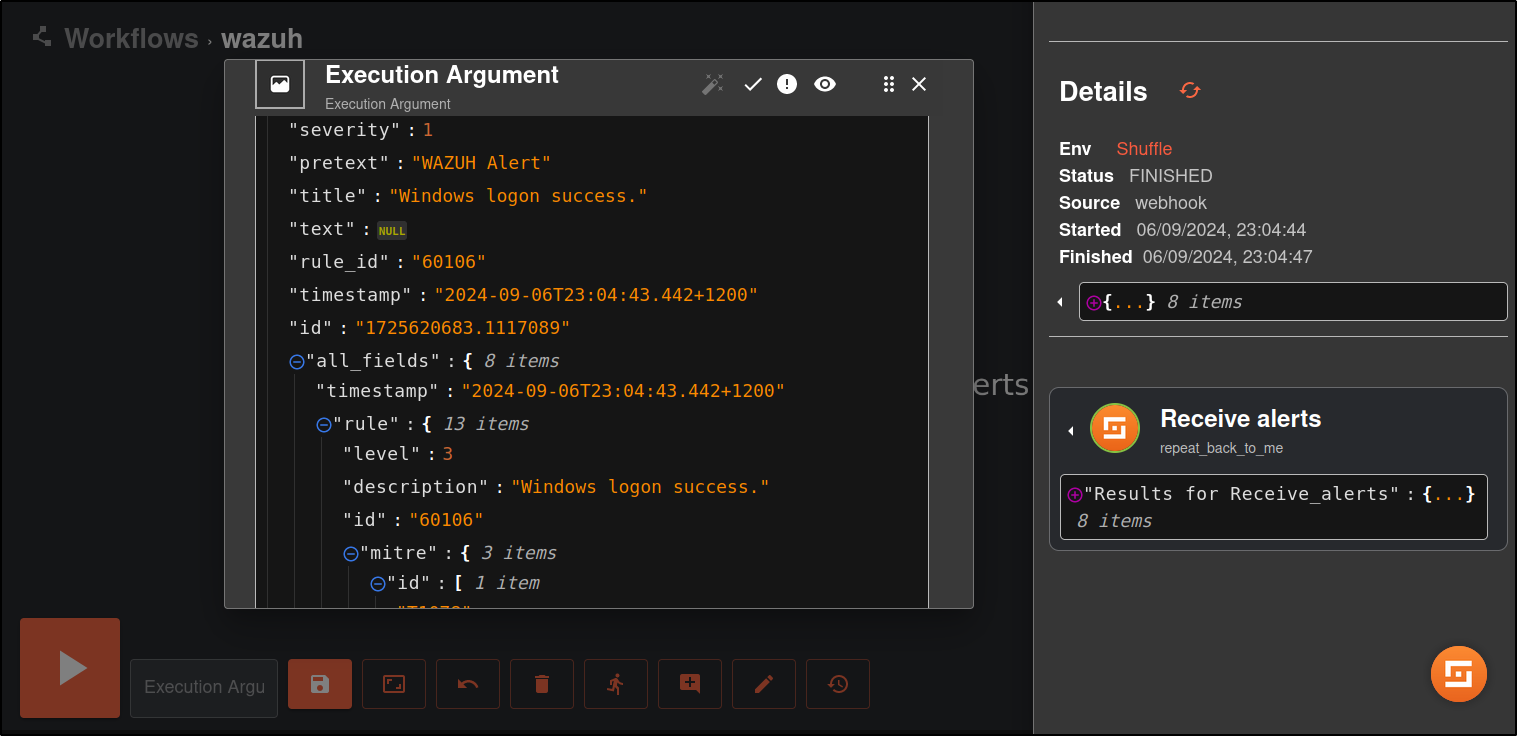
Note: You may need to wait for a duration of time for Wazuh alerts to appear in Shuffle. This is dependent on the number of events generated in your environment. To manually trigger alerts, restart the Wazuh manager service on the Wazuh server.
This shows that Wazuh is sending alerts to Shuffle and the integration is successful.